Delete a User
In the Accounts module, you can manage access to the platform by adding, updating, or removing user accounts. Deleting a user is a permanent action typically performed when a person leaves the organization, no longer requires access, or their role has been restructured.
Removing users helps maintain system security, ensures only authorized individuals have access, and keeps the user directory up to date. It’s especially important in regulated environments or when managing access across multiple locations and roles.
To Delete a User:
User Deletion Warning
Deleting a user is a permanent action. Ensure the user is no longer active before proceeding. Deleted users cannot be restored.
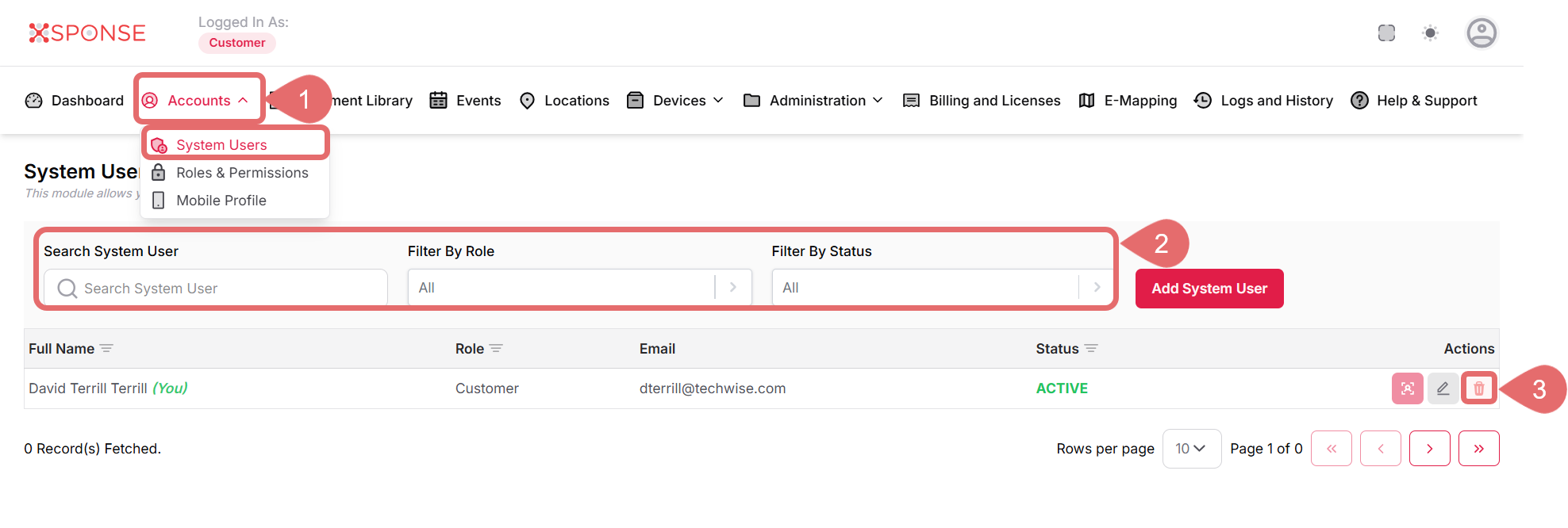
- Go to Accounts > System Users.
- Use the search bar or filters to locate the user you want to delete.
- In the Actions column, click the Remove User icon to open the Remove User confirmation panel.
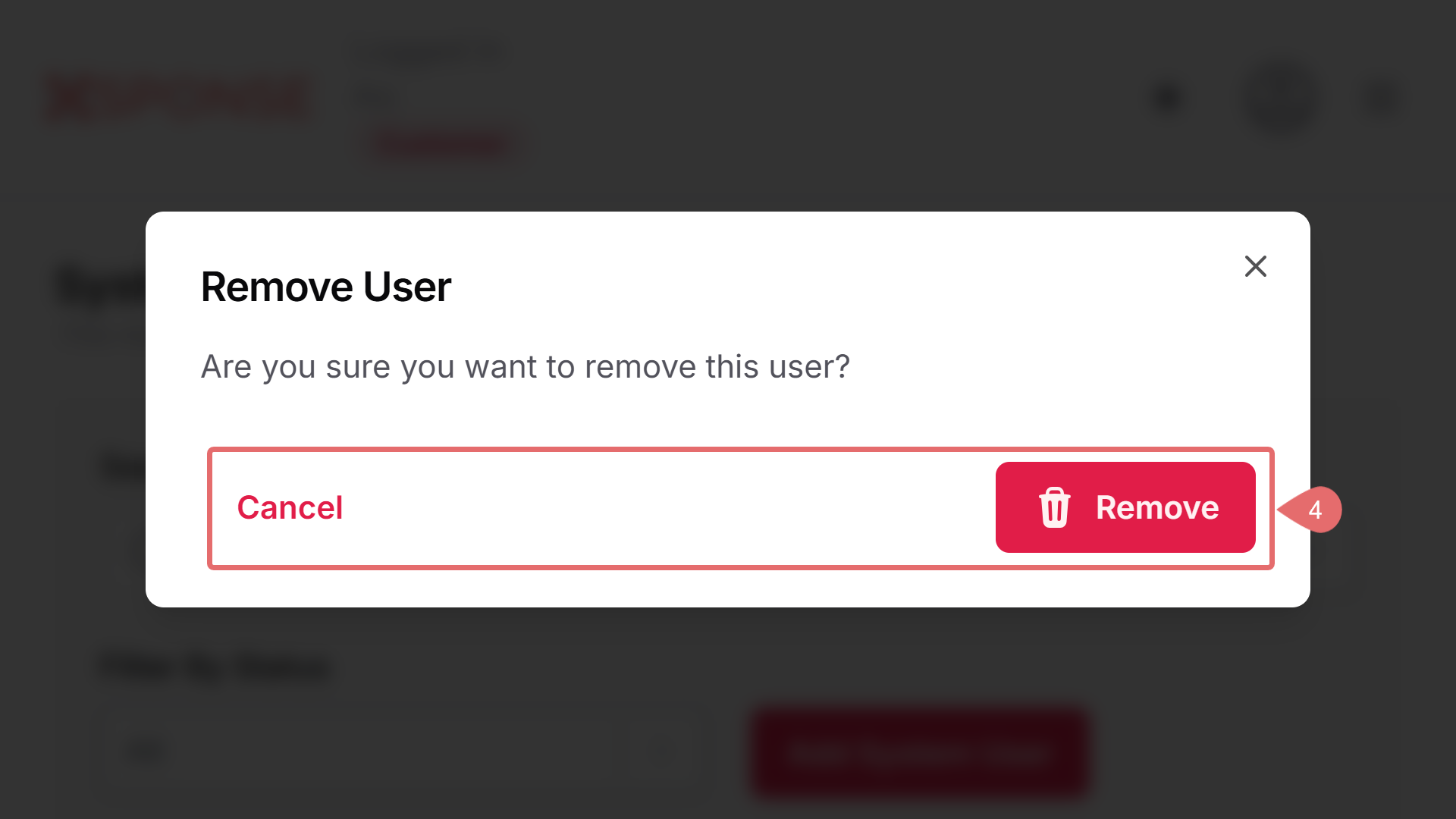
- Click Remove to delete the user, or Cancel to exit without deleting.
See Also
To complement your knowledge of this process, check the following pages: